
Summarise this article with:
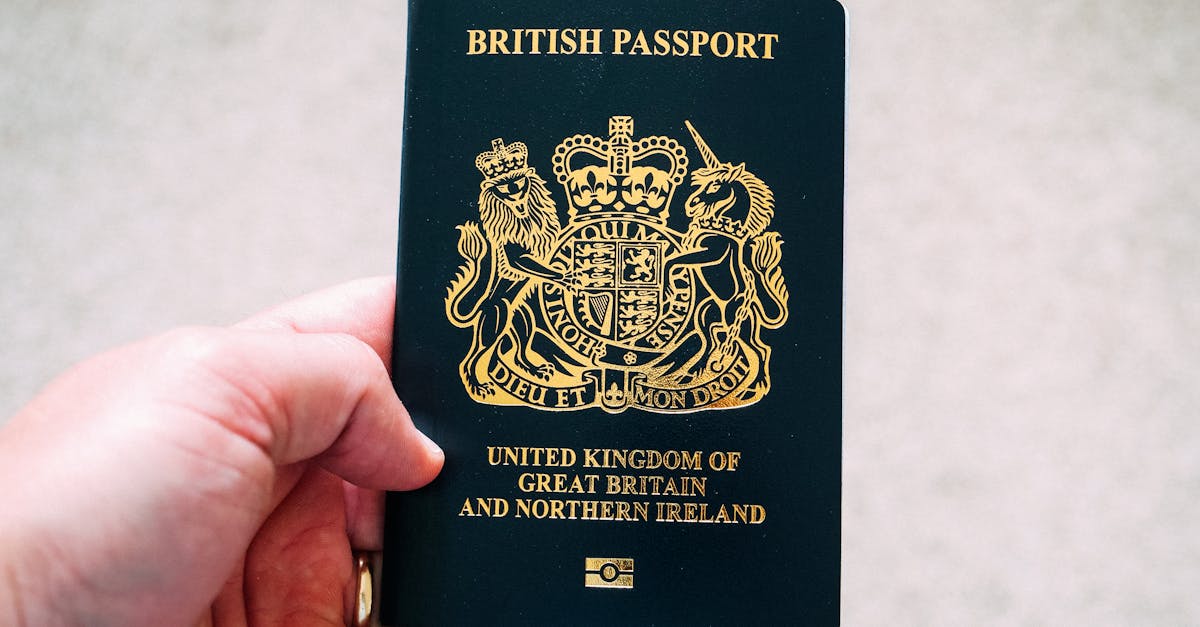
Photo by Ethan Wilkinson on Pexels
His Majesty's Passport Office processes around 7 million passport applications a year, and a meaningful share of them stall on photo issues. The UK rules look simple at a glance, but they have a few quirks that catch people out: the background is not white, glasses have been banned since 2018, and the digital photo you upload through GOV.UK must pass an automated checker before a human ever sees it. Get one detail wrong and you lose a week, sometimes more, while you re-take and re-submit.
This guide covers every UK passport photo rule for 2026, the differences between paper and digital applications, the most common rejection reasons, and how to produce a compliant photo at home in a few minutes.
UK Passport Photo Specifications at a Glance
The UK uses two photo formats depending on how you apply: a printed 35x45mm photo for paper applications, or a digital file for online applications through GOV.UK.
Printed Photo Requirements
| Specification | Requirement |
|---|---|
| Print size | 35mm wide x 45mm tall |
| Paper | Professional photo paper (matte or semi-gloss) |
| Background | Plain light grey or cream (not white) |
| Head height (chin to crown) | 29mm to 34mm |
| Photo recency | Taken within the last month |
| Quantity (paper application) | 2 identical photos, one signed on the back by your countersignatory |
Digital Photo Requirements (Online Applications)
| Specification | Requirement |
|---|---|
| File format | JPEG |
| File size | At least 50KB and no more than 10MB |
| Pixel dimensions | At least 600 wide and 600 tall, up to 6000 x 6000 |
| Aspect ratio | Roughly portrait, but the GOV.UK tool re-frames the photo |
| Background | Plain, light coloured, no patterns |
| Photo recency | Taken in the last month |
The official source for these is the GOV.UK passport photo guidance at gov.uk/photos-for-passports. Always check that page before applying because small wording changes do happen.
The Rules That Trip People Up
Background: Light Grey or Cream, Not White
This is the single most common mistake. Americans and people used to most other countries default to a white wall. The UK rule is explicit: the background must be plain and light coloured, but not pure white. A bright white wall reads as harsh and reflective in the photo and the GOV.UK checker often flags it.
A cream painted wall, a light grey curtain, or a sheet of pale grey card all work. If you only have a white wall available, you can fix it after the fact with the Background Remover and replace it with a regulation light grey, or use the UK Passport Photo Maker, which auto-replaces the background to the exact shade GOV.UK accepts.
Glasses: Not Allowed (Since 2018)
The Home Office removed the glasses exception in 2018. Even if your prescription is strong, you must take the photo without glasses. The only exception is a documented medical reason, which requires a signed letter from your doctor submitted with the application.
In practice this means: take them off, sit still for a few seconds while your eyes refocus, then take the photo. If you wear glasses constantly and you are worried about how you look, that is fine; the photo is for identity verification, not for vanity.
Expression: Neutral, Mouth Closed
A "neutral expression" is the most misunderstood rule. It does not mean blank or unhappy. It means:
- Mouth closed (no teeth showing)
- No smile, but no frown either
- Eyes open and looking straight at the camera
- Hair not covering your eyes or eyebrows
Think of how you look when you are about to start a Zoom call before you say hello. That is the right expression.
Photo Age: Within the Last Month
The UK is stricter than the US here. The US gives you six months. The UK wants the photo taken within the last month. If you grew a beard, dyed your hair, or had a haircut, take a fresh photo. Old photos that show you with materially different features will be rejected.
How the GOV.UK Photo Checker Works
When you apply online for a UK passport, you upload a digital photo through GOV.UK. An automated tool checks it before submission. Based on guidance published by the Home Office, it looks at:
- Whether a single face is detected
- Head position and size relative to the frame
- Eye position and whether both eyes are open
- Background uniformity
- Lighting evenness (no strong shadows on the face or behind the head)
- Whether the face is centred and front-facing
If any check fails, you get a specific error message and a chance to upload a different photo. The tool is forgiving on minor issues but firm on the big ones, especially background and head size.
A common workflow problem: people take a photo, upload it, get rejected, take another, upload, get rejected again. Each rejection adds time. The fix is to use a tool that runs the same checks before you upload, so you only submit a photo that has already passed.
Step by Step: Take a Compliant UK Passport Photo at Home
Photo by Anatolii Grytsenko on Pexels
1. Set Up the Background
You want a plain wall in light grey, cream, or pale beige. Stand about 50cm in front of it so your body does not cast a shadow on the wall behind you. If your only option is white, plan to replace the background digitally.
2. Set Up the Lighting
Natural light from a large window is best. Stand facing the window with the light hitting your face evenly. Avoid overhead lights; they cast shadows under your eyes and chin. Avoid flash; it causes hot spots and red eye.
Two desk lamps with daylight bulbs (5000K to 6500K), one on each side at roughly 45 degrees, also work well. The goal is even illumination across the whole face with no harsh shadow on one side.
3. Frame and Take the Shot
Use a smartphone in landscape orientation, mounted on something stable, with the lens roughly at your eye height. Stand far enough back that you can see your shoulders in the frame. Use the rear camera, not the selfie camera; the rear camera has higher resolution and less distortion.
Have someone press the shutter for you, or use a 5 to 10 second timer. Selfies are not allowed because the arm and phone are usually visible in the frame, and the angle is wrong.
4. Check, Crop, and Submit
This is where most people go wrong. The raw photo will not be the right size, the head position will not be exact, and the background may need correcting.
Use the UK Passport Photo Maker:
- Open the tool and select United Kingdom as your country.
- Pick Passport as your document type.
- Upload the photo.
- The AI detects your face, measures head height in millimetres, crops to 35x45mm, replaces the background with regulation light grey, and runs the same compliance checks GOV.UK runs.
- Download the digital file (for online applications) or arrange the photo on a 4x6 layout to print at home or at a Boots or Snappy Snaps photo machine.
If you want to do it manually, you will need: a 35mm x 45mm crop with the head exactly 29 to 34mm from chin to crown, a flat light-grey background, and a JPEG between 50KB and 10MB. The Image Compressor handles the file size step.
Common Rejection Reasons (and Fixes)
Background Too White or Too Dark
The most common rejection. Use the Background Remover to swap to a light grey, or let the UK Passport Photo Maker handle it automatically.
Head Wrong Size
Standing too close gives a head that fills the frame; too far and the head is too small. The 29 to 34mm chin-to-crown rule is strict. The auto-crop tool measures this mathematically rather than by eye.
Shadows Behind the Head
Caused by standing too close to the wall. Move 50cm away. If the photo is already taken, the AI background replacement removes the shadow along with the background.
Glasses Visible
You forgot to take them off. Do not try to retouch them out; the Home Office considers manipulated photos a fraud risk. Take a fresh photo without glasses.
Mouth Open or Smile
Re-take. There is no editing fix that does not look obvious.
Photo Too Old
You used a photo from your last holiday. The UK wants something taken in the last month. Take a new one.
Filters or Beauty Mode
Phone cameras often apply beauty filters by default, especially on the front camera. Turn them off in your camera settings. Portrait mode (which blurs the background) is also not allowed.
Children and Babies
Children's UK passport photos follow the same dimensions and background rules. Two practical exceptions:
- Babies under one year do not need to look at the camera or have a neutral expression, but their mouth should still be closed.
- For babies who cannot sit up, you can lay them on a plain light-grey sheet and take the photo from directly above. Hands and toys must not be visible.
For a deeper guide on infant passport photos, see our baby passport photo at-home guide and our notes on the most common reasons baby passport photos are rejected.
Printing UK Passport Photos at Home
For paper applications, you need two physical 35x45mm prints. Two cheap options:
- Print at a pharmacy or photo shop kiosk: Boots, Max Spielmann, and Snappy Snaps have self-service kiosks that produce passport photos for around £8 to £12. Bring a USB drive or use Bluetooth from your phone.
- Print at home on photo paper: Arrange multiple 35x45mm photos on a 4x6 inch layout, print on matte photo paper at 300 DPI, then cut them out with a paper trimmer. Cost is under £0.30 per sheet. Our print passport photos at home guide covers the printer settings and paper choices.
For paper applications, one of the two photos must be signed on the back by your countersignatory (the person who confirms your identity). Sign with a ballpoint pen, not gel or marker, so it does not bleed through.
Costs Compared
Photo by Gül Işık on Pexels
| Method | Approx. Cost | Notes |
|---|---|---|
| Boots in-store passport photos | £9.99 to £14.99 | Two prints plus digital code |
| Snappy Snaps | £9.95 to £13.95 | Often a digital code included |
| Max Spielmann | £6.99 to £12.99 | Digital code for online applications |
| Photo Booth (railway stations) | £6 to £8 | Limited print quality, no digital file |
| Home printing with photo paper | Under £0.30 | Plus a one-off paper trimmer |
| UK Passport Photo Maker | Free | Digital file ready for GOV.UK upload |
A digital code from a high street photo shop is convenient, but you only get one shot. If GOV.UK rejects the upload, you cannot re-take without paying again. The home tool lets you re-take as many times as you need.
Digital Submission Checklist
Before you click upload on GOV.UK, run this list:
- JPEG format
- At least 600x600 pixels, no more than 6000x6000
- At least 50KB and under 10MB
- Light grey or cream background, no shadows
- Head clearly centred, both shoulders visible
- No glasses, no head covering (except religious or medical)
- Mouth closed, eyes open, looking at camera
- No filters, no portrait blur, no beauty mode
- Taken in the last month
- Hair not covering eyes or face
If every box is ticked, the GOV.UK checker will almost always accept on the first try.
Frequently Asked Questions
Can I wear religious head coverings?
Yes. Head coverings worn for religious or medical reasons are allowed, as long as your full face is visible from the bottom of your chin to your forehead. A separate signed statement is not required for religious coverings, but the photo itself must show the face clearly.
Can I use a photo from a few years ago if I look the same?
No. The UK rule is one month. Even if you genuinely look identical, the application asks you to confirm the photo is recent.
My online photo keeps getting rejected. What should I do?
Read the specific error message GOV.UK gives. Most often it is background, head size, or shadows. The UK Passport Photo Maker runs the same compliance checks before you upload, so it tells you exactly what to fix in the same language GOV.UK uses.
Do I really need a countersignatory photo for renewals?
For a standard adult renewal where your appearance has not changed, no countersignatory is needed and you only submit one digital photo through GOV.UK. Countersignatory photos are required for first applications, child applications, and replacement of lost passports.
Can I edit the brightness or contrast of my photo?
Light, non-distorting adjustments to brightness, contrast, and colour balance are allowed and sometimes necessary to make the background read correctly. Skin smoothing, slimming filters, eye enlargement, and any feature manipulation are not allowed and treated as suspicious.
Conclusion
UK passport photo rules are stricter than they look, but they are predictable. The three traps are background colour (light grey or cream, not white), glasses (banned since 2018), and photo age (one month, not six). Get those right and the rest follows.
The UK Passport Photo Maker automates the precise crop, head measurement, background replacement, and compliance checks, so the file you upload to GOV.UK passes the automated checker on the first try. Combined with a quick at-home setup (plain wall, window light, rear camera, neutral expression), you can produce a compliant UK passport photo without leaving the kitchen and without paying £15 at a high street shop.
For other countries, see our country-by-country passport photo requirements guide. For US-specific rules, see the US passport photo requirements 2026 guide. For the full set of free image tools, visit mergeimages.net.

Bello builds useful software and writes thoughtful content to make sense of it all. He tests the tools himself and checks the facts before any of it goes in a guide.
Experimente Nossas Ferramentas de Imagem Gratuitas
Pronto para Experimentar?
Coloque essas dicas em prática com nosso editor de imagens online gratuito. Sem cadastro.
Make your passport photo, free


