
Summarise this article with:
A clean hero image can double click through rates. Etsy shoppers spend about 5 seconds on the first picture. A crisp, correctly sized photo showing the product clearly keeps them scrolling instead of bouncing. You can resize, clean up the background, and combine variants using free browser tools without ever leaving your browser.
The Storefront Glance
Think of the first photo as a storefront window. Buyers judge color accuracy, lighting, and personal taste in a heartbeat. A plain background kills distraction. Sharp focus signals professionalism. Blur or clutter kills the buyer’s interest before they ever reach the second picture.
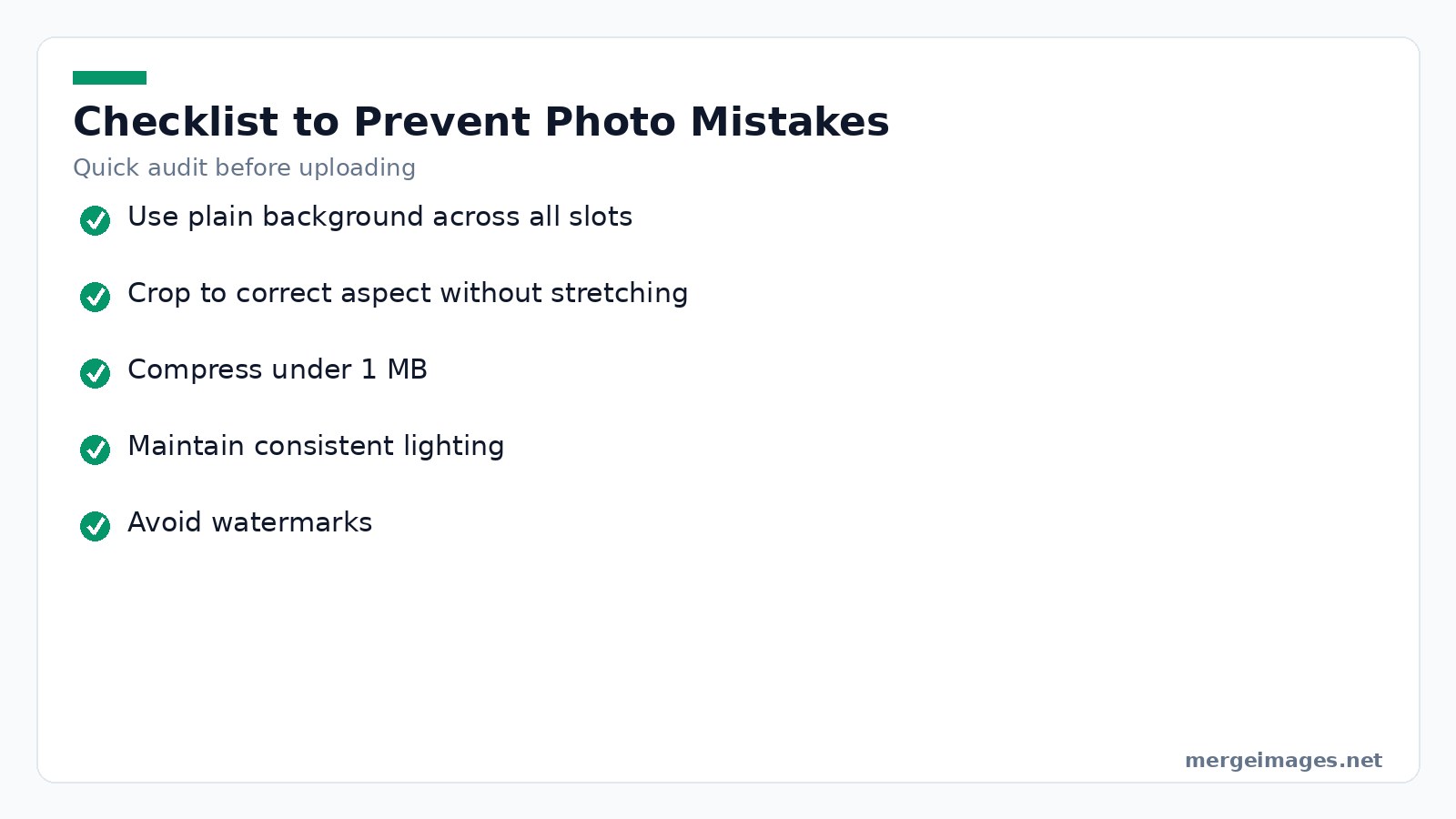
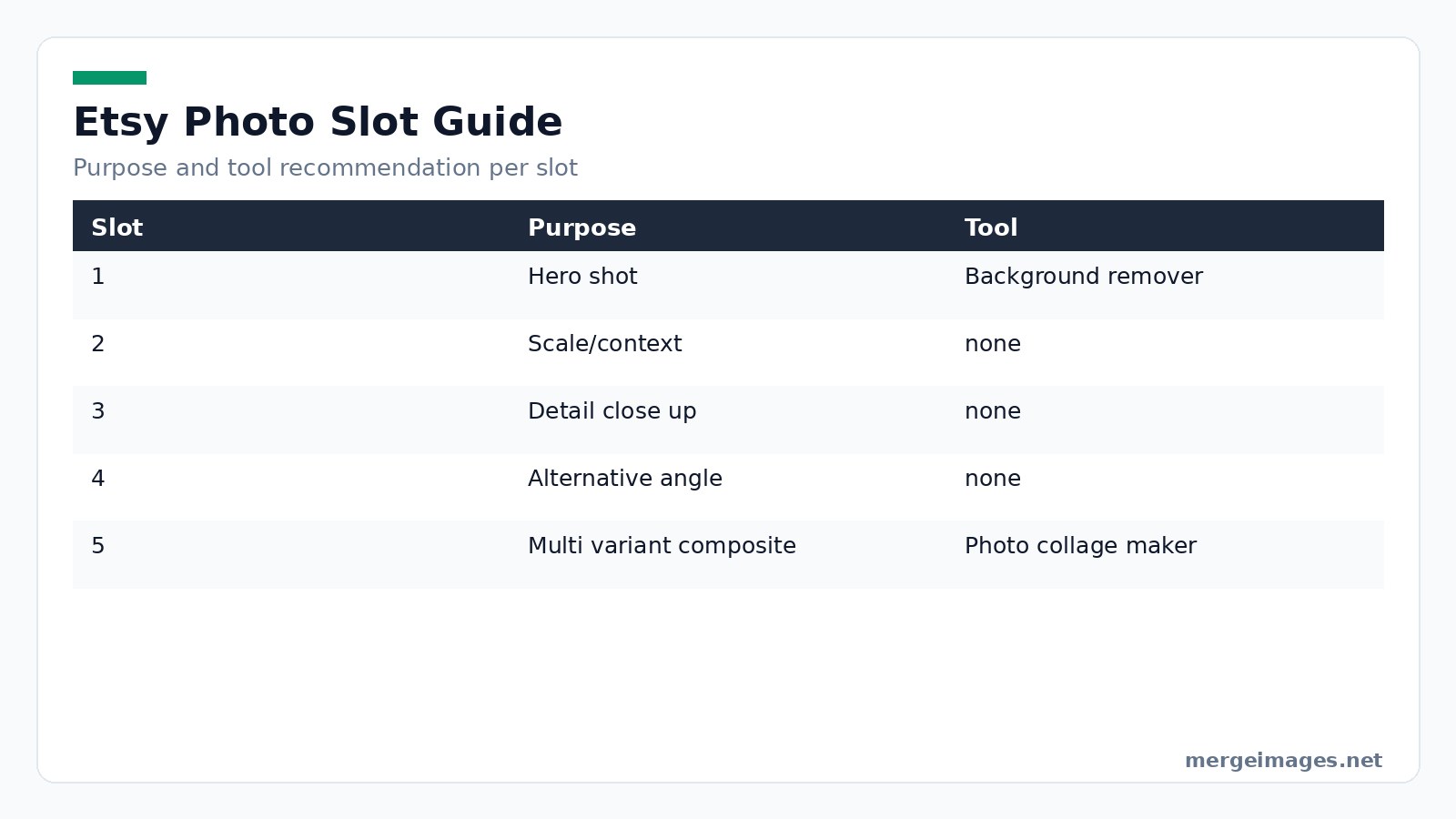
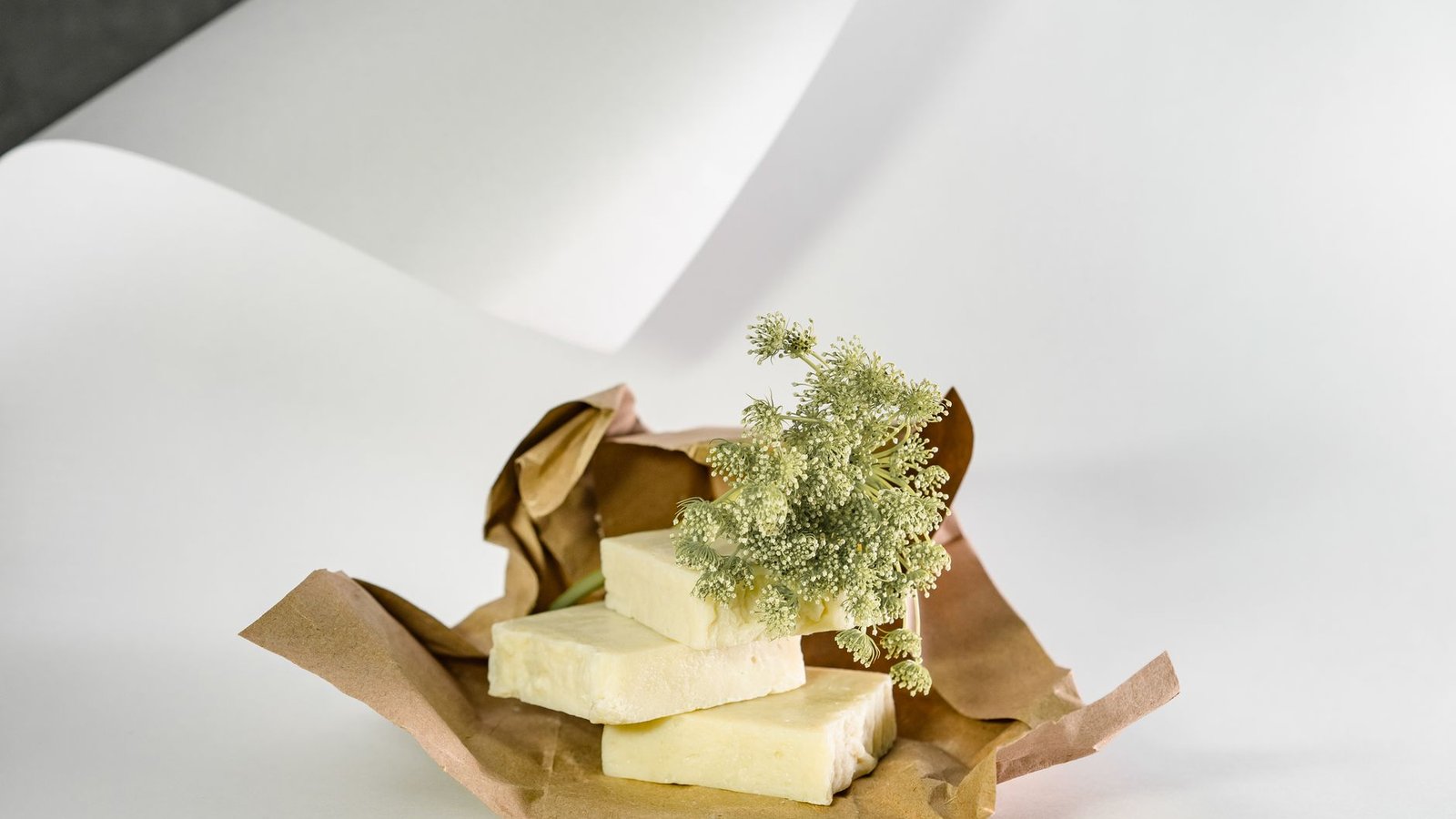
Photo: Alexey Demidov via Pexels
The Five Photo Baseline
Etsy’s algorithm favors listings with at least five images. More photos give the platform more thumbnails to show in search results. They give buyers confidence that the seller is transparent.
| Slot | Purpose | Tool |
|---|---|---|
| 1 | Hero shot | Background remover |
| 2 | Scale or in use | none |
| 3 | Detail close up | none |
| 4 | Alternative angle | none |
| 5 | Multi variant composite | Photo collage maker |
Stop at two photos and the listing looks unfinished. Conversion rates drop noticeably.
Passing the One Second Hero Test
Your hero image must survive a quick glance in the search grid. Three flaws kill the test. Noisy background. Uneven lighting. Wrong aspect ratio. I photograph the product on a white sweep, then drop the file into the Background Remover. The tool instantly isolates the item and returns a transparent PNG. I replace the background with a soft neutral tone and export as JPG.
Next, I open the same file in the Image Resizer and set the dimensions to 2000 × 2000 px, the minimum Etsy recommends. The resizer preserves the original aspect while shrinking the file to under 1 MB, ready for upload.
Scaling and Context in the Second Slot
Buyers need a size reference. Place the product next to a common object like a coffee mug, a ruler, or a hand. Keep the lighting identical to the hero shot. This consistency builds brand trust. If you shoot lifestyle images, make sure the model’s pose matches the product’s typical use. A misaligned angle confuses rather than convinces.
Showcasing Quality with Detail and Angle
Close up shots reveal texture, stitching, or finish. Use a macro lens or the phone’s close focus mode. Keep the background neutral. The Background Remover can clean up any stray shadows after the fact. Rotate the image slightly in the Image Resizer if the product sits crooked. The tool lets you flip or rotate without quality loss.
One Image, Many Options for Multiple Variants
If you offer three or more colors, sizes, or patterns, a single composite beats six separate photos. Photograph each variant on the same backdrop. Run each through the Background Remover. Feed the transparent PNGs into the Photo Collage Maker. Choose a grid layout that fits six squares in a 2 × 3 arrangement. The collage tool automatically adds equal padding, ensuring the final image stays within Etsy’s 2000 px minimum. Export the collage at 2000 × 2000 px using the Image Resizer to hit the file-size target.
Technical Specs and Compression
Etsy’s current specifications are straightforward. Resolution must be at least 2000 px on the longest side. Use an aspect ratio of 4 : 5 recommended, though 1 : 1 works for square hero shots. Keep file size under 1 MB after compression. Use JPG for most items, and PNG when you need transparency. Set the color profile to sRGB. Use descriptive file naming like descriptive-product-name-1.jpg.
The Image Resizer lets you set exact pixel dimensions and export with a quality slider that keeps the file under 1 MB without visible degradation. I once resized a 3000 × 4000 px photo to 2000 × 2000 px. The file shrank from 3.2 MB to 950 KB while retaining crisp detail.
SEO-Friendly Filenames and Alt Text
Search engines index image filenames and alt attributes, so treat them as micro-copy. Include the primary keyword, product type, and a distinguishing attribute (e.g., "hand-knit-blue-scarf-front.jpg"). Write alt text that describes the visual content and the benefit, such as "Blue hand-knit scarf draped over a wooden chair, showing soft texture and width." Consistent, keyword-rich naming and alt text improve both Etsy search relevance and external search engine discoverability.
Mobile-First Optimization
Over 70 % of Etsy traffic originates from mobile devices, and page-load speed directly impacts conversion. After resizing, run the image through a free compression tool like TinyJPG or ImageOptim to shave off any remaining kilobytes. Verify the final file loads under 2 seconds on a typical 3G connection using Chrome’s DevTools network throttling. Keeping each image under the 1 MB ceiling ensures a smooth mobile experience and prevents the platform from applying aggressive automatic compression that could degrade quality.
Common Pitfalls to Avoid
Even seasoned sellers slip into habits that hurt performance. Run through this quick checklist before you hit Publish.
- Backgrounds that change color or texture between slots.
- Cropping a landscape image to a portrait frame by stretching it.
- Leaving watermarks that look like sales tags.
- Uploading files larger than 1 MB, causing Etsy to compress them aggressively.
- Forgetting to rename files with descriptive keywords for SEO.
Address each item. You will see a measurable lift in click through and conversion.
Platform Limits and Extra Slots
Etsy limits the total number of images per listing to ten. Use slots six through eight for lifestyle scenes that show the product in a real-world setting. Reserve slot nine for packaging or a thank-you card to reinforce brand experience. Slot ten is ideal for user-generated content. Ask a satisfied buyer for permission to reuse their photo. Remember that each additional image adds to page load time. Keep every file under the 1 MB ceiling to avoid slow rendering on mobile devices.
Honest Limits of Free Tools
The browser-based Background Remover works well for solid colors. It struggles with intricate fur or reflective surfaces. In those cases a manual touch-up in a raster editor is unavoidable. The Image Resizer can only reduce file size. It cannot restore detail lost in an original over-compressed upload. The Photo Collage Maker does not support custom borders. If you need a decorative frame you must add it after export.
Frequently Asked Questions
Can I use stock photos?
Etsy allows them, but generic images often get flagged and rarely convert as well as real product shots.
Do I need a model for clothing?
A model helps when the target buyer can picture themselves wearing the item; otherwise, a clean studio shot with a mannequin works fine.
Should I add a sizing chart?
Yes, place it in slot six or higher. Include both inches and centimeters to reduce returns.
How often should I refresh my images?
Whenever you change the product’s packaging, color palette, or lighting setup, update the photos to keep the listing current.
Are there limits on how many photos I can upload?
Etsy permits up to ten images per listing; use the extra slots for lifestyle scenes, packaging, or user-generated content.
The Bottom Line
Five well crafted photos are the baseline for a competitive Etsy listing. Start with a background free hero shot. Add scale, detail, angle, and a multi variant collage. Use the free Image Resizer, Background Remover, and Photo Collage Maker to meet Etsy’s specs without installing software. Consistency, clarity, and compliance turn casual browsers into buyers.

Bello builds useful software and writes thoughtful content to make sense of it all. He tests the tools himself and checks the facts before any of it goes in a guide.
Prueba Nuestras Herramientas de Imagen Gratuitas
¿Listo para Probarlo?
Pon estos consejos en práctica con nuestro editor de imágenes online gratuito. Sin registro.
Remove your product backgrounds, free


