
Summarise this article with:
Image SEO is mostly four things Google actually documents: a short descriptive filename, alt text that describes the picture, an image sitemap, and images sitting next to the text that explains them. Google says Lens alone now handles nearly 20 billion visual searches a month, so treat images as a search channel rather than page decoration.
Most of what circulates about image SEO is folklore nobody has rechecked in years. This guide keeps only claims that appear in Google's own image documentation or another Google page, and says plainly where Google publishes nothing.
Why Image SEO is Underrated
Text SEO is crowded. Image results are quieter, and the levers are boring enough that plenty of sites skip them. The intent is often commercial too: someone typing "grey linen sofa" or "passport photo size" into image search is closer to acting than reading.
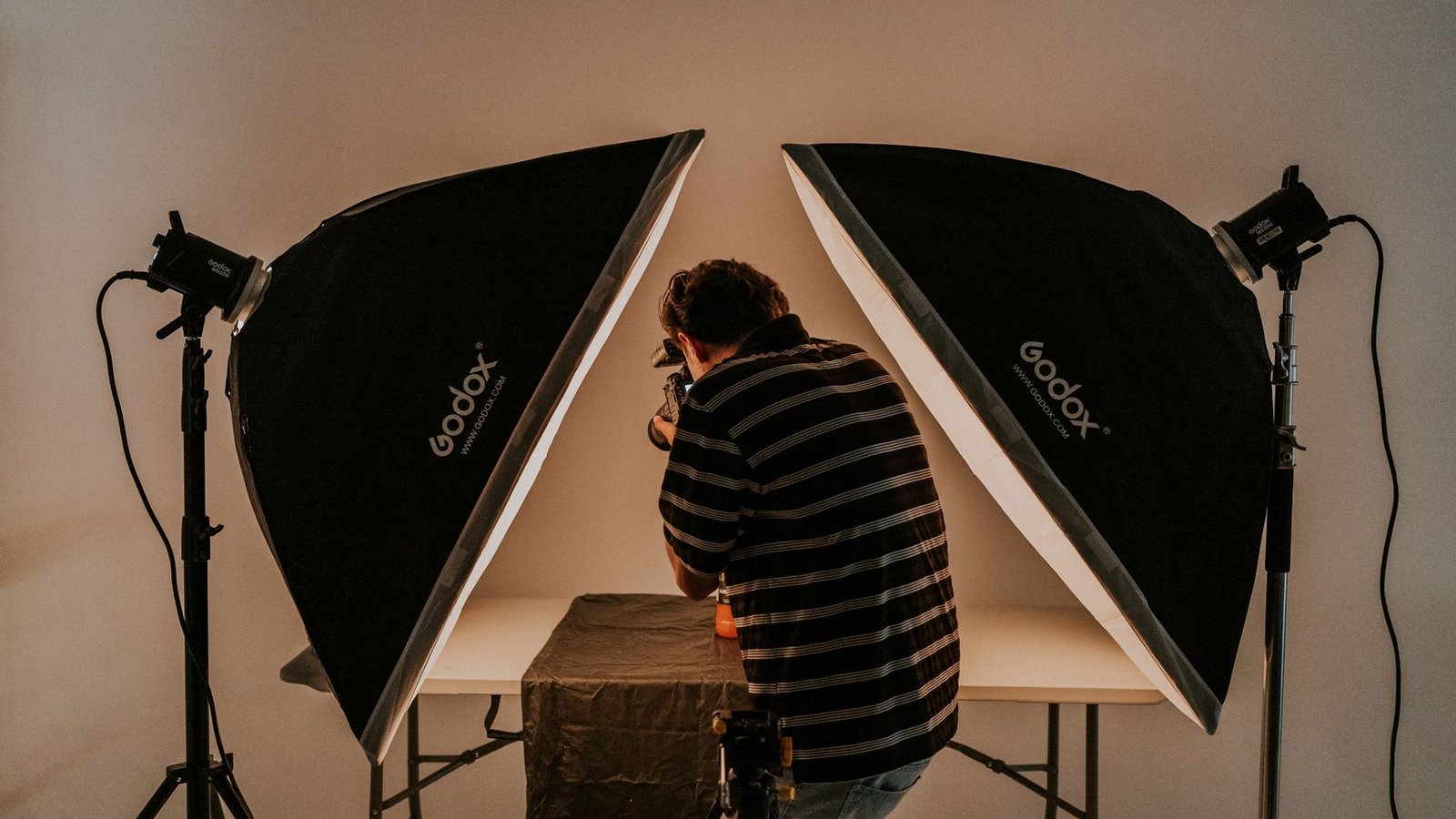
Photo: Amar Preciado via Pexels
Then there is Lens. Google's own October 2024 announcement put it at "nearly 20 billion visual searches every month". Whatever slice of that touches your niche, it is a surface where the picture is the query.
What I cannot tell you is how much traffic image search will produce for you. Search Console reports it separately, and on our own tool pages it stays a minority of clicks. Treat this as a channel worth an hour a month, not a rescue plan.
The Two Highest-Impact Factors: Alt Text and File Name
Both are named directly in Google's documentation, which is why they lead. Almost everything else in image SEO is inference.
File Name
Google's guidance is one sentence: "Use filenames that are short, but descriptive," with my-new-black-kitten.jpg given as better than IMG00023.JPG. That is the whole rule.
Separate words with hyphens. Google's URL structure guidance recommends hyphens over underscores because they help people and search engines pick out concepts in a URL. The popular version of this claim, that Google cannot read underscores at all, is older than the documentation and not what the page says.
I renamed 34 exported screenshots in one of our passport guides, from Screenshot 2026-03-11 at 14.22.png to names like passport-photo-head-height-crop.png. It took about 25 minutes, and I have no way to attribute a ranking change to it, which is the honest state of most single-factor image work.
Alt Text
Google's line: "The most important attribute when it comes to providing more metadata for an image is the alt text." It should be useful, information rich, use keywords appropriately, and sit in context. Keyword stuffing is called out as a bad practice, with "Dalmatian puppy playing fetch" offered as the good example.
House style we layer on top, ours and not Google's: 8 to 15 words, skip "image of", and write it as though the picture failed to load. For a screen reader user, it effectively did.
Surrounding Content Signals
An image is never ranked alone. Google says it "extracts information about the subject matter of the image from the content of the page, including captions and image titles," and asks you to "make sure images are placed near relevant text and on pages that are relevant to the image subject matter."
Captions earn their space, then. And an image sitting four paragraphs away from the sentence it illustrates is working against you. Placement is the cheapest fix on this whole list.
One more line from the same page that almost nobody acts on: "Consistently reference the image with the same URL, so that Google can cache and reuse the image without needing to request it multiple times." Copying one picture to a fresh path on every page that uses it splits its equity and burns crawl budget.
Technical Image SEO Factors
Image Size and Page Speed
Be precise here, because the received wisdom overstates it. Google's page experience documentation says "Core Web Vitals are used by our ranking systems" and, in the same breath, "There is no single signal." Fast images help. They are not a ranking trick.
- Compress. Google measures WebP lossy files at 25 to 34% smaller than comparable JPEG at equivalent SSIM, and WebP lossless at 26% smaller than PNG. Our image compressor does that without a round trip through desktop software, and our AVIF vs WebP comparison covers which to serve.
- Pick a format Google indexes: BMP, GIF, JPEG, PNG, WebP, SVG and AVIF, referenced in the
srcattribute of animgtag. - Lazy load carefully. Google asks that your implementation "loads all relevant content whenever it is visible in the viewport," and warns that anything depending on scrolling or clicking will fail, because the crawler does not interact with the page.
- Set width and height attributes so the layout does not jump while images arrive.
I measured the 134 hero images on this blog while writing this: most are 1200 px on the long edge and the median file is 72 KB, small enough that the hero is rarely the thing holding a page back.
The failure mode worth knowing: an image that only appears after a click, a hover or a scroll handler may never be indexed at all. Google's own check is to run the page through the URL Inspection tool and confirm the image URL is present in the src attribute of the rendered HTML. If it is not there, nothing else in this guide matters for that file.
Image Sitemap
An image sitemap hands Google image URLs it might not otherwise discover. The supported markup is much smaller than most tutorials show: image:image and image:loc. Google removed image:caption, image:title, image:license and image:geo_location from its documentation, so a sitemap still emitting those tags is carrying dead weight.
<url>
  <loc>https://example.com/page</loc>
  <image:image>
    <image:loc>https://example.com/images/product.jpg</image:loc>
  </image:image>
</url>
Structured Data
Google states that the image field "is a required field to be eligible for a badge and rich result in Google Images." That is about badge eligibility, not about every schema type demanding an image, so fill it on the types you already publish.
There is also a licensable badge. Add image license metadata with a license URL, plus acquireLicensePage if you sell usage rights, and Google Images can show licensing links beside your picture. For anyone whose photos get lifted, that is the only Google-supported ownership claim available in image results.
Optimizing for Google Lens
Google publishes almost nothing about how Lens chooses what it shows, so be suspicious of any article that explains the algorithm to you. What is documented sits on the shopping side, where Lens leans on product data.
Google's Merchant Center image requirements ask for at least 500 by 500 pixels, recommend around 1500 by 1500, cap files at 16 MB and 64 megapixels, and prohibit watermarks, logos, promotional adjectives, calls to action, price information and any overlay covering the product.
The rest of the Lens advice you will read, about multiple angles and uncluttered backgrounds, is inference from how object recognition behaves, not published guidance. Our background remover will produce the plain-background version if you want to test it, but hold the idea as a hypothesis rather than a rule.
Image SEO by Content Type
Blog Posts and Articles
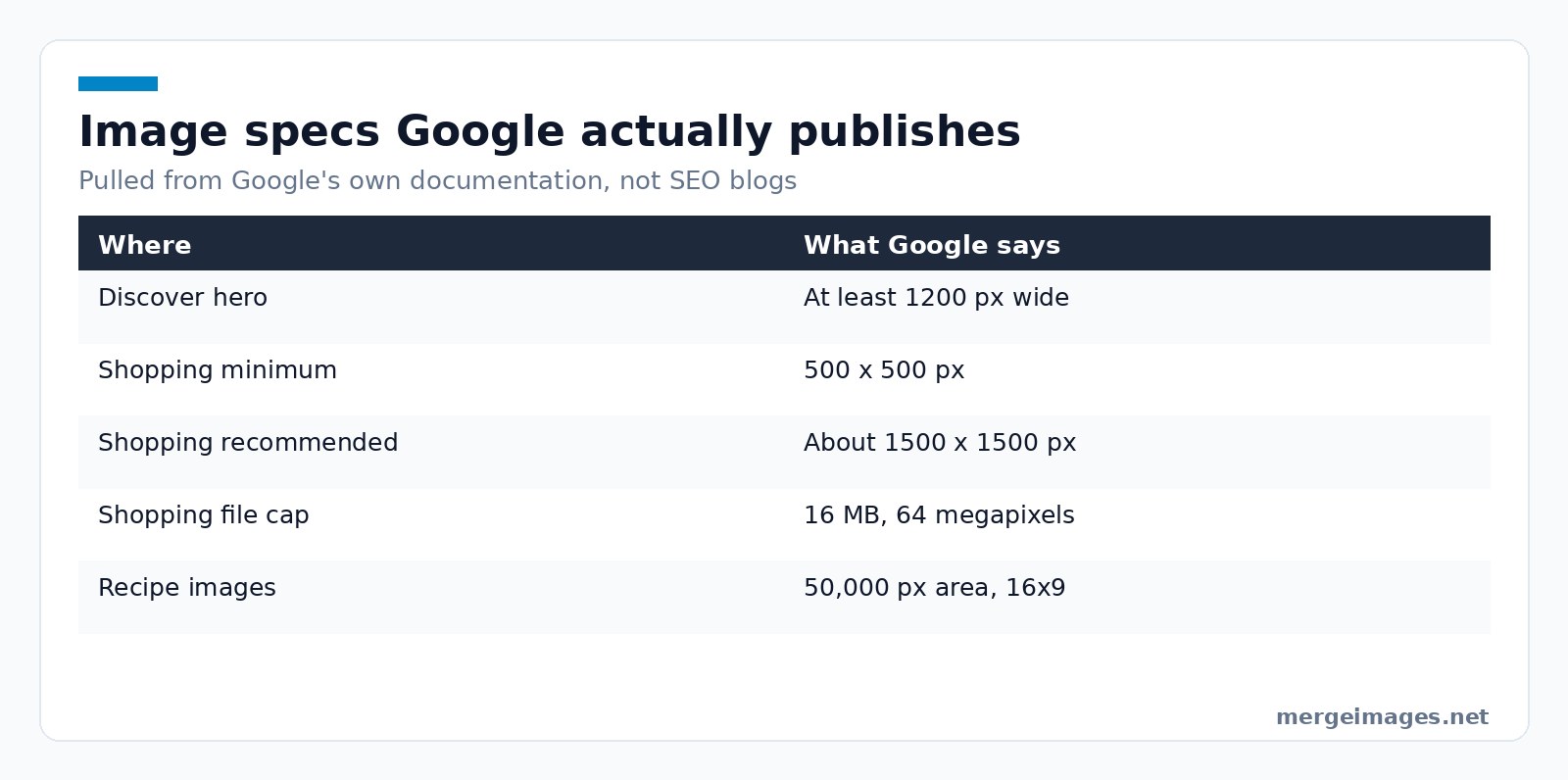
The hero carries the most weight, because it is what Discover can show. Google asks for images "at least 1200 px wide" with max-image-preview:large enabled through the robots meta tag, and says outright to avoid generic images such as your site logo in schema markup or the og:image tag.
Original photography is worth the trouble. Google's helpful-content guidance talks about showing "evidence of the work involved, such as photographs," which is a different thing from decorating a page with stock. Our before and after photo guide is one example of imagery that only exists because someone shot it.
E-commerce Products
Use the Merchant Center numbers above, name the file after the product, colour and type, and keep the alt text consistent with the product title. The 2048 by 2048 minimum you may have read elsewhere, including in an earlier version of this post, is not Google's published floor. Our Shopify product image guide goes deeper on store setups.
Recipes and Food Content
Recipe pages can earn a badge in Google Images and can be grouped into a host carousel with ItemList markup. Google wants the image property filled with the finished dish, and recommends several high-resolution images of at least 50,000 pixels of area (width times height) in 16x9, 4x3 and 1x1 crops.
Measuring Image SEO Performance
Search Console's "Search type: Image" filter is the only first-party number you will get. Impressions, clicks, average position and top queries all split out from web search there.
Two things it will not tell you: which specific image on a page earned the impression, and whether a filename change caused the movement you are looking at. Compare periods, expect noise, and change one variable at a time.
Frequently Asked Questions
Does image SEO help my regular text search rankings?
Only indirectly, and less than people claim. Faster images improve Core Web Vitals, which Google says its ranking systems use, and alt text plus captions add text describing what the page covers. Google publishes no statement that optimising an image lifts the page's text ranking. Treat image work as its own channel that happens to tidy the page up on the way through.
Should I watermark my images?
Google Search Central publishes no rule about watermarks in image search, so anyone quoting you a penalty is guessing. Merchant Center is explicit, though: product feed images must not carry watermarks, logos, promotional adjectives, calls to action, price information or overlays covering the product. Keep watermarks off anything feeding Shopping, and use your judgement everywhere else.
How many images should a blog post have?
Google documents no number, and the counts circulating in SEO posts trace back to correlation studies rather than guidance. What Google does document is placement (images near the text explaining them), a hero of at least 1200 px for Discover, and the reminder that "high-quality photos appeal to users more than blurry, unclear images." Add images that carry information, then stop.
Do CDN-hosted images still count?
Yes. Google's image documentation covers CDN-hosted images in sitemaps, and recommends verifying the CDN domain in Search Console so you receive its crawl error notifications. What to avoid is hotlinking somebody else's file: the image URL belongs to them, so whatever equity it earns belongs to them too.
Start With Three Things
Rename files before uploading, write alt text that would make sense read aloud, and put each picture directly under the sentence it illustrates. That covers most of what Google actually publishes, and it costs about a minute per image.
After that, open Search Console's image filter once a month and fix what the data points at. Our AI upscaler handles source files too small to crop and the image compressor the ones dragging your LCP, but the picture that ranks is usually the one described properly, not the one processed the most.

Bello builds useful software and writes thoughtful content to make sense of it all. He tests the tools himself and checks the facts before any of it goes in a guide.
Probieren Sie Unsere Kostenlosen Bildtools
Bereit es Auszuprobieren?
Setzen Sie diese Tipps mit unserem kostenlosen Online-Bildeditor in die Praxis um. Keine Anmeldung erforderlich.
Bilder Jetzt Zusammenfügen


