
Summarise this article with:
TikTok's Photo Mode is one of the most underused formats on the platform, and that's exactly why it performs so well. While everyone else is racing to post short videos, image carousels are quietly getting 2-5x the organic reach of standard video posts for many creators.
This guide covers everything you need to know: the right specs, how to structure a carousel for maximum saves, and how to prepare your images before posting.
Why Photo Carousels Outperform Video Right Now
TikTok's recommendation algorithm rewards content that keeps users engaged on screen. With video, users watch and scroll. With carousels, they swipe through each frame, a gesture TikTok's algorithm reads as high engagement.
The result: carousels tend to get more time on screen, more saves, and more shares than equivalent-effort videos. For creators who aren't comfortable on camera, or businesses that have product shots and infographics to share, this is a major opportunity.
Key platform facts for 2026:
- TikTok has 1.5 billion monthly active users spending an average of 95 minutes per day
- Photo Mode carousels can contain up to 35 images
- The format is accessible to all accounts, no follower threshold required
- Carousels are fully supported by the For You Page algorithm
TikTok Photo Carousel Specs
Getting the dimensions right is non-negotiable. Off-ratio images get letterboxed or cropped in ways that look unprofessional.
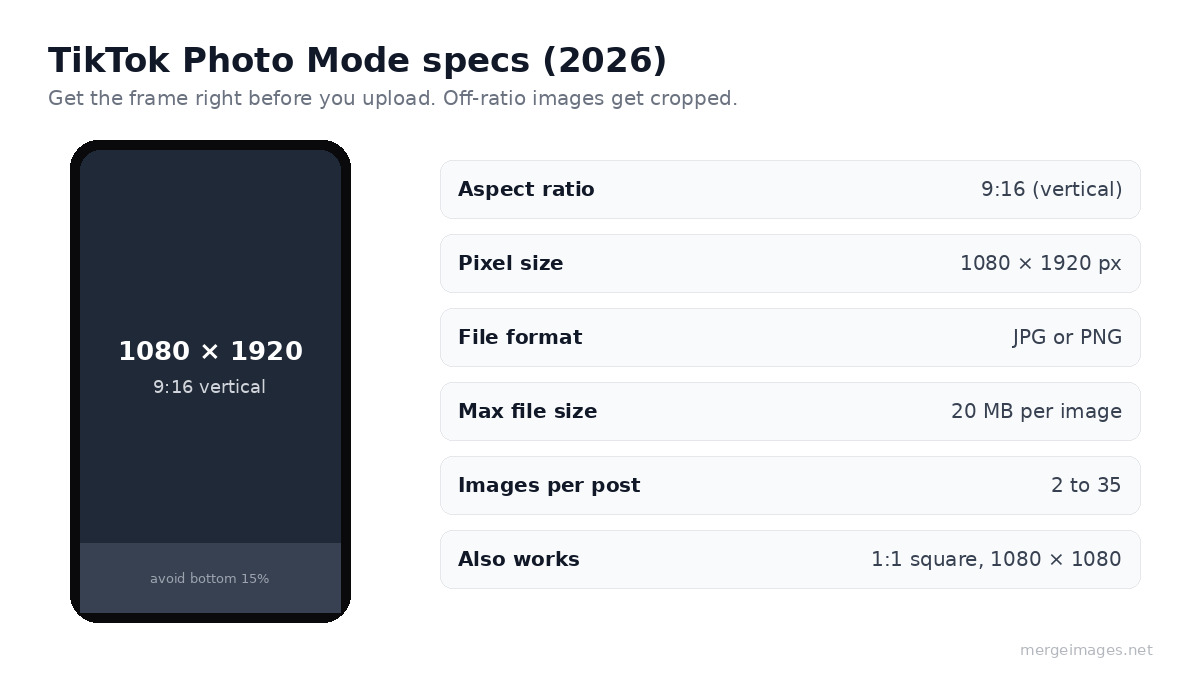
| Spec | Recommended Value |
|---|---|
| Aspect ratio | 9:16 (vertical) |
| Pixel dimensions | 1080 × 1920 px |
| File format | JPG or PNG |
| Max file size | 20 MB per image |
| Max images per post | 35 |
| Min images per post | 2 |
Square (1:1, 1080×1080) also works and renders cleanly, but vertical fills the full screen and consistently outperforms square in swipe-through rate.
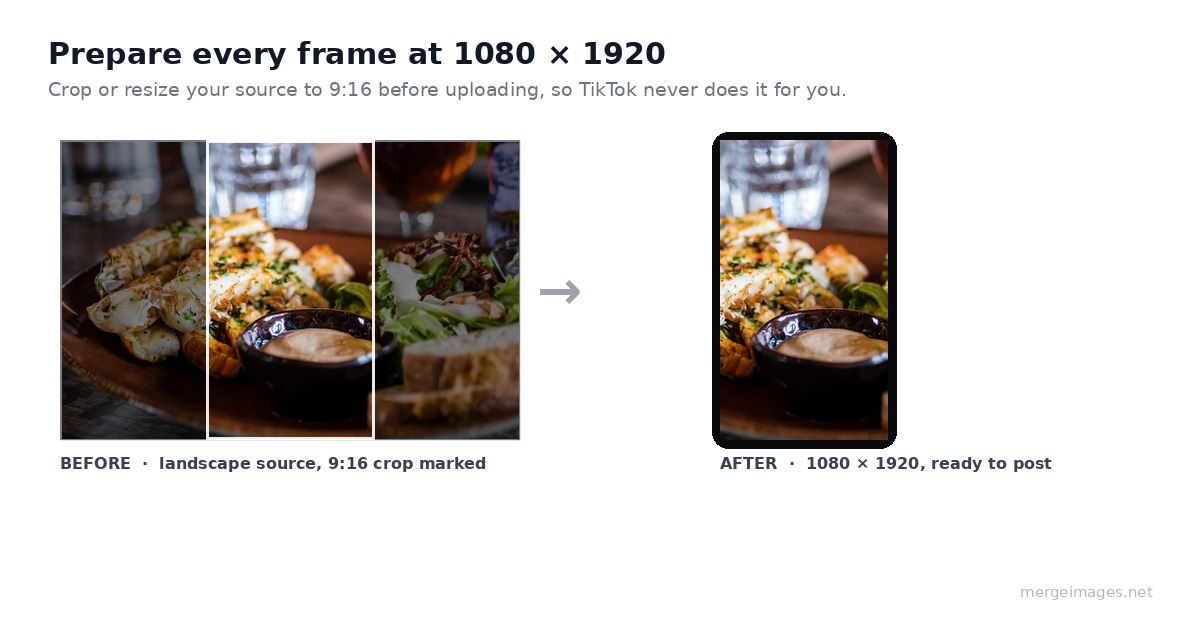
Before uploading, resize your images to the exact 1080×1920 specification. You can use the image resizer to batch-prepare all your carousel frames quickly. For multi-image layouts, like placing two product shots side by side, the horizontal merge tool handles this without requiring any design software.
The 5-Frame Formula for Maximum Saves
The structure of your carousel matters as much as the visuals. Here's a framework that consistently drives saves (TikTok's strongest engagement signal):
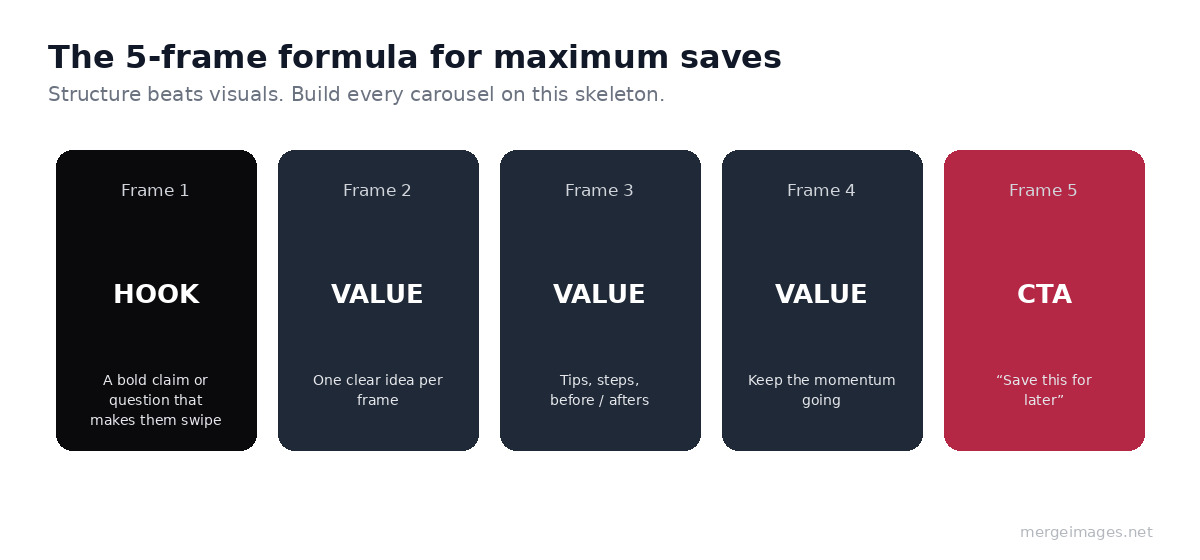
Frame 1, Hook: A bold statement or question that makes the viewer swipe. "You're posting TikTok carousels wrong." "5 things every food photographer misses."
Frame 2-4, Value: The meat of your content. Tips, steps, comparisons, before/afters. Each frame should deliver one clear idea.
Frame 5, CTA: "Save this for later" or "Share with someone who needs this." Explicit save requests are TikTok-appropriate and meaningfully increase save rate.
For educational content, treat each frame like a slide. For product content, show different angles, front, back, detail shot, lifestyle use.
Preparing Your Images for TikTok Quality
TikTok applies its own compression on upload, which degrades image quality. To counter this:
- Upload JPG rather than PNG for photos (smaller file, TikTok's compression hits it less hard)
- Use PNG for text-heavy graphics (sharper edges survive compression better)
- Start with higher resolution, upload at 1080×1920 even if your source image is smaller, upscaling beforehand produces better compression results than letting TikTok upscale it
- Check for white backgrounds, product images with pure white backgrounds can look washed out; use the background remover to swap to a slightly off-white or textured background
If you're working with older or lower-resolution source material, run it through the AI image upscaler first. TikTok's compression is less destructive when it starts from a clean, high-resolution source.
Content Types That Perform Best
Not all carousel topics are equal. Based on what's getting traction in 2026:
Educational lists: "7 rules of composition" style posts. Each rule gets its own frame with a visual example. High save rate because viewers want to reference them later.
Before/after comparisons: Frame 1 shows the before, frame 2 shows the after, subsequent frames explain the steps. See how to structure these effectively in our before and after photo guide.
Product showcases: Multiple angles, color variants, or size comparisons. If you sell on Etsy or Shopify, repurpose your product photography for carousels. Check our Etsy listings photo guide for image prep tips that translate directly.
Step-by-step tutorials: "How to make X" broken into 6-10 frames. These get shared because people send them to friends who need help.
Comparison tables: Side-by-side tool or product comparisons work particularly well as static images since viewers can pause and read.
Text Overlay Best Practices
Most high-performing carousels include text on the images themselves, not just in the caption.
- Font size: Nothing smaller than 36pt equivalent at 1080px width, viewers watch on mobile and squinting kills swipes
- Contrast: Dark text on light backgrounds or white text with a semi-transparent dark overlay
- Keep it brief: One idea per frame, ideally under 15 words of body text
- Avoid the bottom 15% of the frame, TikTok's UI elements (like buttons) overlap this area
Hashtags and Captions for Carousels
Caption strategy for carousels differs from video:
- Keep the caption under 150 characters, the rest gets truncated until the user taps "more"
- Lead with a hook that teases the carousel content
- Use 3-5 specific hashtags rather than 20+ generic ones, TikTok's search has improved significantly
- Add a "save this" or "swipe for more" prompt when relevant
Avoid stuffing your caption with the same keywords as every other post in the niche. Originality in phrasing gets better distribution.
Cross-Posting Carousels to Instagram
TikTok carousels repurpose almost perfectly to Instagram Reels and Stories, but the platform specs differ. Our Instagram image sizes guide covers the exact dimensions for each Instagram format.
For simultaneous cross-posting, create your frames at 1080×1350 (4:5 portrait), this fills the screen vertically on both platforms without being letterboxed. Use the image resizer to quickly produce both versions from a single master file.
Frequently Asked Questions
How many images should a TikTok carousel have?
Between 5-10 frames hits the sweet spot for most content types. Long enough to deliver real value, short enough that viewers complete the carousel (completion rate is another engagement signal TikTok rewards). For pure product showcases, 3-6 frames is plenty.
Can businesses use photo carousels or is it only for creators?
Any account type can post carousels. Businesses using TikTok for e-commerce or brand awareness often get better engagement from carousels than from polished ads, the format feels more native and less promotional.
Does image quality affect TikTok reach?
Indirectly yes. Low-quality or blurry images get scrolled past faster, reducing your average watch time. TikTok's algorithm penalizes low watch time. Starting with clean, correctly sized images is worth the extra 2 minutes of prep.
Should I add music to photo carousels?
You can. TikTok lets you add a soundtrack to Photo Mode posts. A background track makes the viewing experience feel more cohesive and aligns with platform expectations. Choose trending audio when possible, as TikTok's algorithm gives modest boosts to posts using sounds currently in circulation.
Conclusion
TikTok carousels are the highest ROI image format on the platform right now, high reach, low production cost, and easy to batch create. The key is getting the specs right (1080×1920, JPG, up to 35 frames), structuring for saves, and starting with clean images.
Use the image resizer to prep your frames, the AI upscaler to sharpen older shots, and the background remover to clean up product images before building your carousel. A single afternoon of batch preparation can produce a month's worth of carousel content.

Bello builds useful software and writes thoughtful content to make sense of it all. He tests the tools himself and checks the facts before any of it goes in a guide.
Essayez Nos Outils d'Image Gratuits
Prêt à Essayer ?
Mettez ces conseils en pratique avec notre outil de fusion d'images en ligne gratuit. Sans inscription.
Make your social images, free


